Multi-currency budgeting
Envelope budgeting in multiple currencies
Most budgeting apps answer this with a second budget per currency, and the conversion done in your head. Rudopo does envelope budgeting across multiple currencies in one place: a space budgets in one currency, its accounts can hold others when both are on Rudopo's rate list, and every purchase lands in the same envelopes.
Conversion runs on official reference rates — the ECB's daily reference rates, and the official US-dollar pegs for the UAE dirham, Saudi riyal and Qatari riyal — which Rudopo carries for 33 currencies. The budget's currency and the account's both have to be on that list. No bank connection is involved in any of it.
How it works
One budget, accounts in more than one currency
The space sets the budgeting currency
Every envelope, every report and your net worth are counted in one currency — the one you chose for the space. That is the number you budget in, and it does not change under you.
Accounts can hold other currencies, when both are on the list
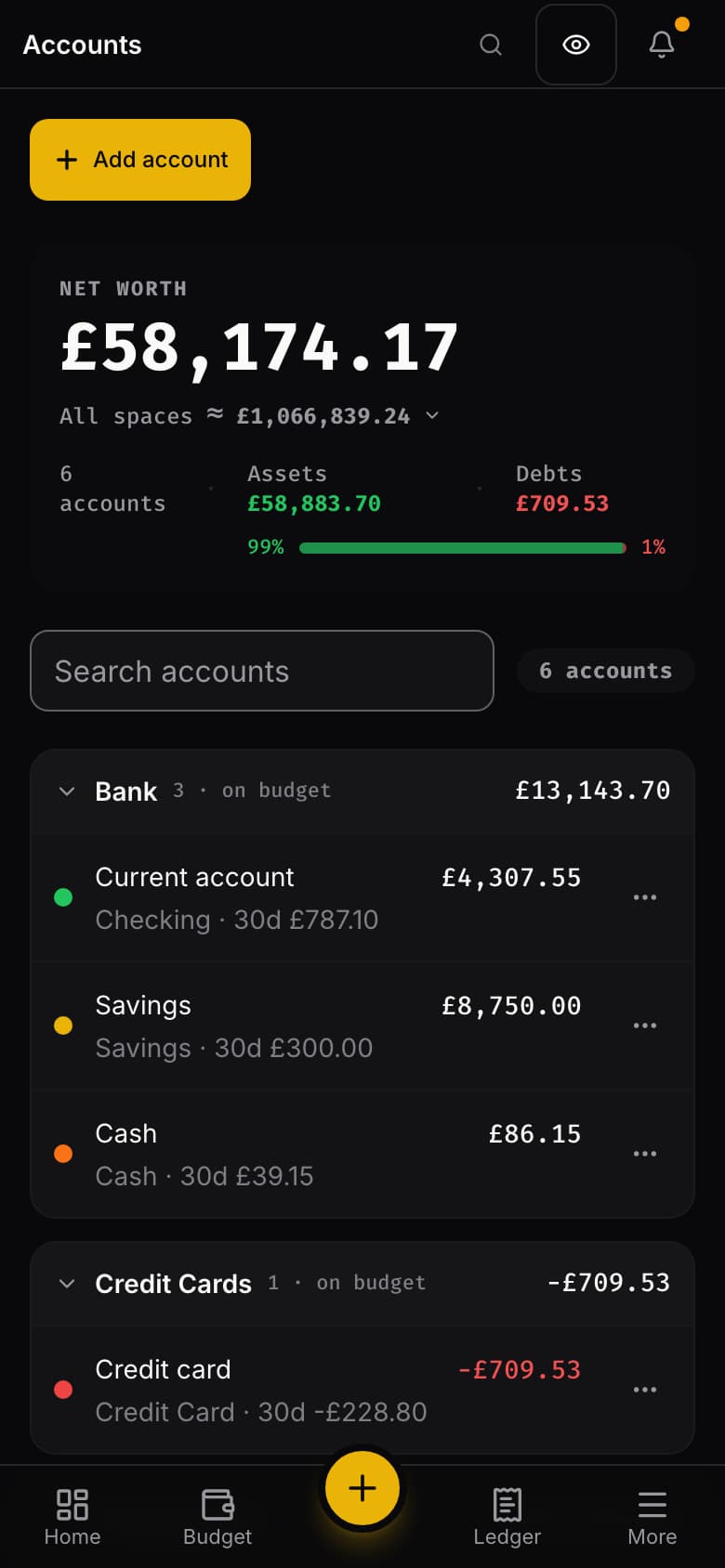
A euro current account, a rupee savings account and a pound card can sit in the same budget as the dollars — all four currencies are on the list — each showing its real balance first and the converted value beside it. One requirement, and it is worth knowing before you start: the budget's currency and the account's must both be on the list Rudopo carries official rates for. That list is not every currency in the world — so when you add an account, the currency menu offers exactly the ones that will work in your space.
Spending lands in the same envelopes
A purchase made in another currency is assigned to a category like any other. There is no second Ready to Assign, no parallel set of categories, and nothing to reconcile between two budgets at the end of the month.
Shipped
What that looks like
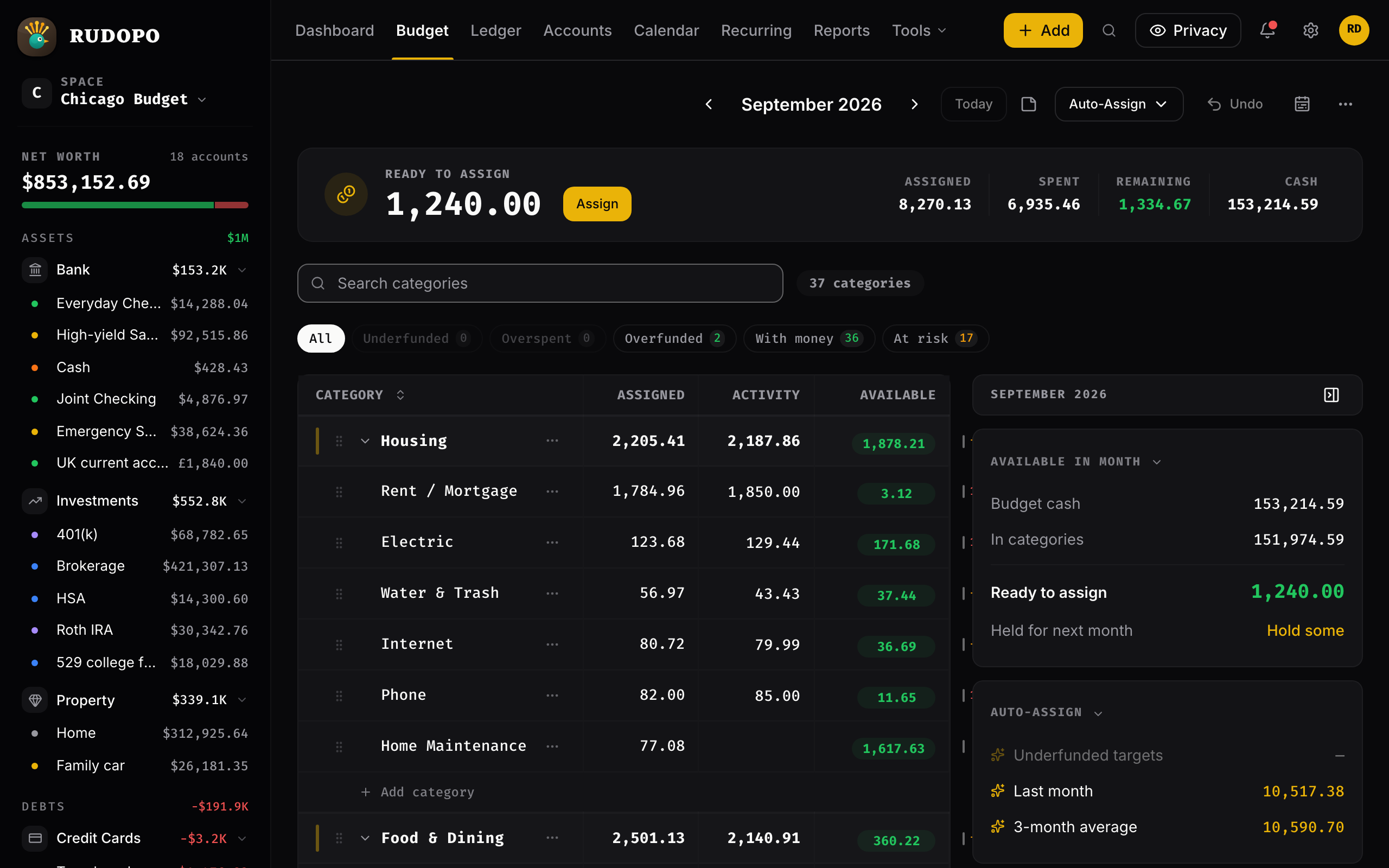
A budget kept in dollars, with a pound account in the rail beside it. The envelopes, Ready to Assign and the month's activity are all one currency; the account keeps its own.
Exchange rates
Which rate, and when it is fixed
This is the question every other answer depends on, so here it is plainly: the rate is the official one for the day the transaction happened, and it is written down when the transaction is saved.
The rate of its own day, not today's
Each transaction converts at the official rate for its own date — the ECB's daily reference rates, and the official US-dollar pegs for the UAE dirham, Saudi riyal and Qatari riyal — or, on a weekend or a public holiday when the ECB set no rate, the most recent one before it. A pegged currency uses the ECB's dollar rate of that same day. A dinner bought in 2019 converts at the 2019 rate, and an imported statement converts row by row at each row's date. How far back that reaches is per currency: 1999 for most of them, 2009 for the rupee.
Your history does not move when rates move
The converted amount and the rate that produced it are stored on the transaction itself. When the market moves tomorrow, last year's budget reads exactly as it did yesterday — no page recalculates old months.
Never a silent one-to-one
If there is no official rate for that currency on that date, Rudopo refuses the entry and tells you why, rather than quietly treating one unit as one unit. You can type the converted amount yourself — the bank's actual number, fees and all — and it stores the rate that implies.
Recurring entries convert on their due dates
A subscription charged in another currency converts at the rate of each occurrence, not at the rate on the day you set it up. The same is true of an account's opening balance.
Transfers between currencies cancel out
Moving money from a dollar account to a euro one is one movement with two sides. Both sides carry the same budget-currency value, so the transfer nets to zero in your budget, while each account keeps the amount that actually left and arrived.
More than one budget
When two currencies are really two lives
Sometimes the currencies belong to separate households, countries or projects, and mixing them into one budget is the wrong answer. Keep them as separate spaces then — each with its own budgeting currency, accounts and categories — and switch between them in a click. Their combined net worth is shown as one figure at today's rates, in the currency of the space you are viewing, wherever an official rate connects the two. A space it cannot convert still shows its own total, and Rudopo says the combined figure is incomplete rather than quietly leaving it out.
The honest part
What it does not do yet
Four limits, all deliberate. They are here because a page that only lists strengths is not worth reading before you move your money into something.
No splits on a foreign-currency account
One charge cannot be divided across several categories on an account held in another currency. Rounding each part separately would stop the parts adding up to the whole, and a budget that does not add up is worse than a missing feature.
An account's currency is fixed once it has transactions
You choose the currency when you create the account. After the first transaction it is locked — make a new account in the other currency instead, which is what actually happened in real life anyway.
The rates are the official ones, and only those
You cannot pin your own rate for a period. Where the official rate is wrong for you — a card's spread, a cash exchange at the airport — enter the converted amount by hand and the true rate is recorded with it.
No periodic revaluation
Rudopo does not post gain-or-loss entries as rates drift. The converted figure beside a foreign balance adds up each transaction at the rate of its own day, so it does not move with today's market. Only the combined net worth across spaces uses today's rate.
Questions
Questions people ask before they start
- Can I use envelope budgeting with accounts in multiple currencies?
- Yes. A space budgets in one currency and its accounts can each hold a different one, as long as both are on the list of currencies Rudopo carries an official rate for — that rate is what converts between them. Spending from a foreign-currency account is then assigned to the same envelopes as everything else: there is no second budget and no second Ready to Assign.
- Do I need a separate budget for each currency?
- No. One budget is enough, because the conversion happens on each transaction rather than in your head. Separate budgets are still available as separate spaces if the currencies belong to genuinely separate lives, and their combined net worth is shown as one number wherever an official rate connects their currencies.
- Which exchange rate does Rudopo use?
- The official reference rate for the date of the transaction — the ECB's daily reference rates, and the official US-dollar pegs for the UAE dirham, Saudi riyal and Qatari riyal — or the most recent one before it when that date was a weekend or a holiday. A pegged currency converts through the ECB's US-dollar rate of that same day. The series goes back to 1999 for most currencies and 2009 for the rupee, so imported history converts at the rate of its own day rather than today's. If no official rate exists for that currency and date, the entry is refused rather than converted at one-to-one, and you can enter the converted amount yourself.
- Does my budget history change when exchange rates change?
- No. The converted amount and the rate used are stored on each transaction when it is saved, so past months never recalculate. A budget you closed last year reads the same today as it did then.
- Do I have to connect a bank account?
- No. Rudopo has no bank connections at all. You enter transactions yourself or import a statement as CSV, OFX, QFX, QIF or PDF, in any supported currency. No bank credentials are handed over and no aggregator reads your accounts.
- Which currencies can I hold accounts in?
- Rudopo carries official rates for 33 currencies — the ECB's daily reference rates, and the official US-dollar pegs for the UAE dirham, Saudi riyal and Qatari riyal — and multi-currency works between any two of them. The space's budgeting currency and the account's currency both have to be on that list, because the rate has to come from somewhere. You never have to guess which: when you add an account, the currency menu offers exactly the ones that work in your space, and offers none at all if the space's own currency is not on the list.
- What if my currency is not one Rudopo carries a rate for?
- You can still budget in it. The space currency picker offers a wider set than the rate list does, marks the ones outside it when you choose one, and everything except multi-currency works normally in those. What you cannot do is add an account in a second currency inside that space — there would be no official rate to convert through, and Rudopo will not invent one. Go by the list rather than by whether a rate exists somewhere in the world: the Pakistani rupee, for one, is offered for budgeting but is not on the rate list today. If holding two currencies is the point, pick a currency from Rudopo's list for the space.
- Can I change my budgeting currency later?
- You can, but read the warning first. Changing a space's currency re-labels the amounts already recorded, it does not convert them — a thousand becomes a thousand in the new currency. Rudopo tells you how many transactions that affects and asks you to confirm. For money that genuinely moved between currencies, use a foreign-currency account instead. Once a foreign-currency account has transactions, the space's currency is locked: those transactions were converted into it, and re-labelling would make every conversion wrong. To budget in another currency from then on, start a new space in it.
Try it with your own currencies
Create a space in the currency you budget in, add an account in the currency you actually hold, and enter one transaction. The conversion, the stored rate and the envelope all happen on that first entry.
Get started